Table of Contents
Portal Version 3.27

Release Notes Portal Version 3.27.0 (available from March 17th 2026 on)
Improvements for all FACT24 Editions
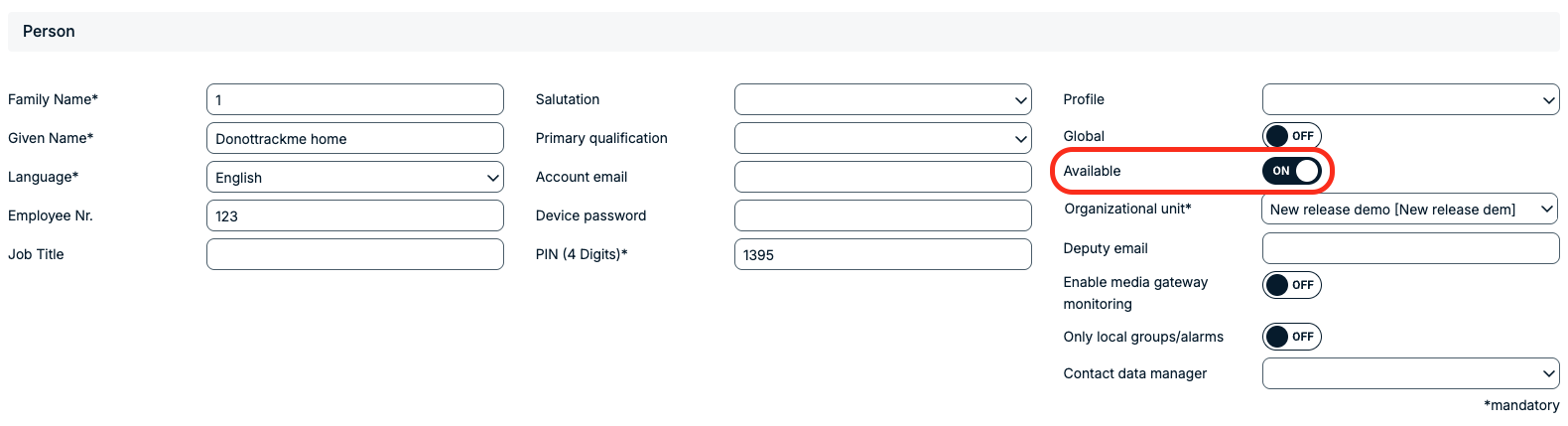
Persons: “Notify” toggle changed to “Available”
The “Notify” toggle on the Persons page has been renamed to “Available.”
This change better reflects the functionality and makes it clearer whether a person is available to receive alarm notifications.
More information about Persons
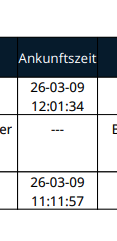
Alarm Report: Arrival Time Added
The Alarm Report now includes the date and time of arrival for responding persons.
This information is now consistent with what is displayed in the Alarm Monitor.
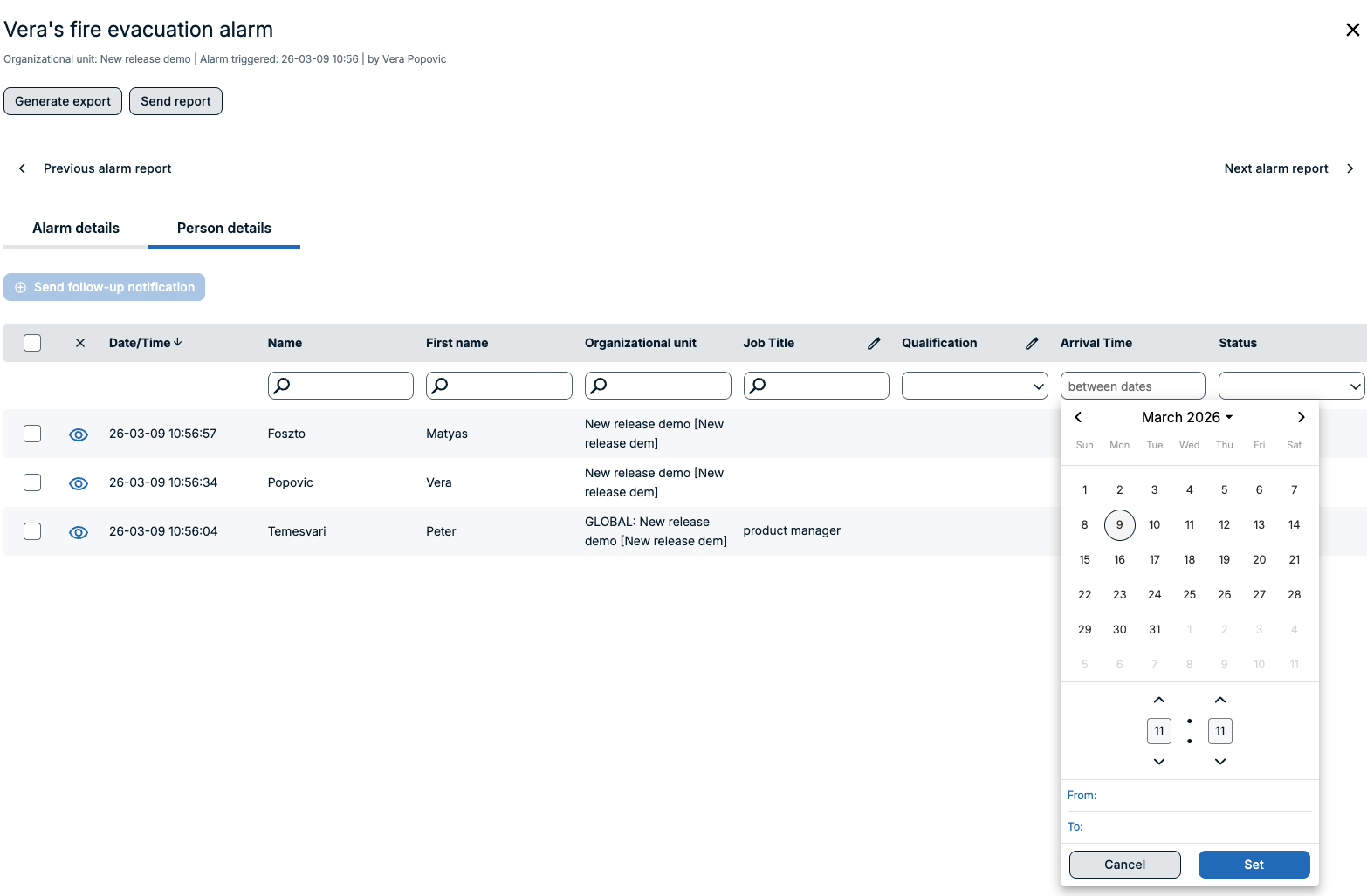
Alarm Monitor: Enhanced Time Filtering
The Alarm Monitor has been extended with a date and time picker.
This makes it easier to filter and identify persons who responded to an alarm within a specific arrival time in minutes.
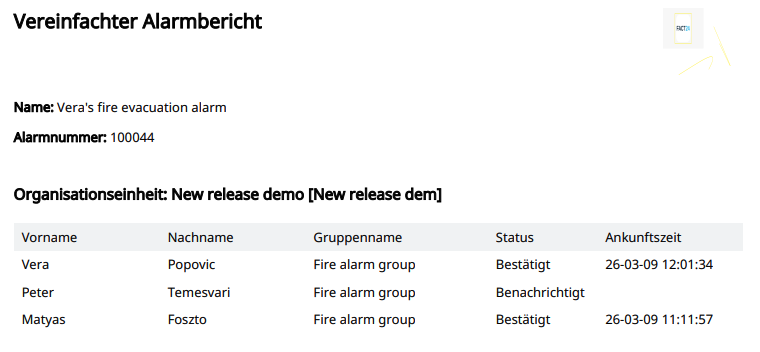
Simplified Alarm Report: Improvements
The Simplified Alarm Report now includes the time of arrival as well as the customer logo, if it has been configured in the Admin Web.
This improves the clarity and branding of exported reports.
ENS+ Portal: Icon Update
The ENS+ Portal icon update has been continued.
All second-level navigation icons across the portal pages have now also been replaced to ensure a more consistent and modern user interface.
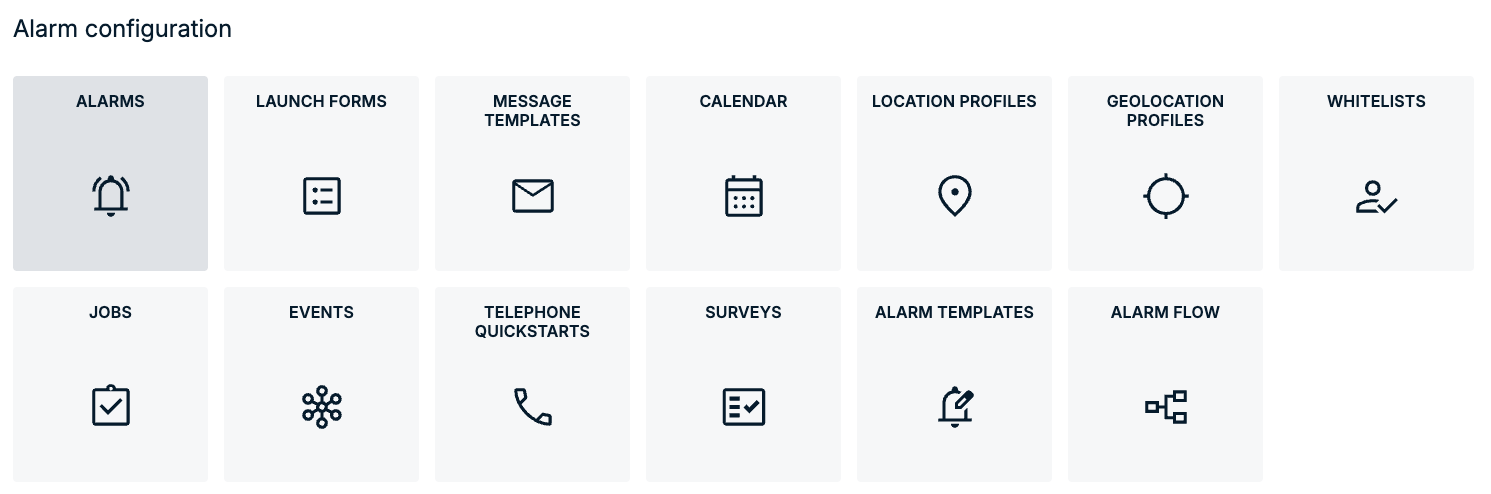
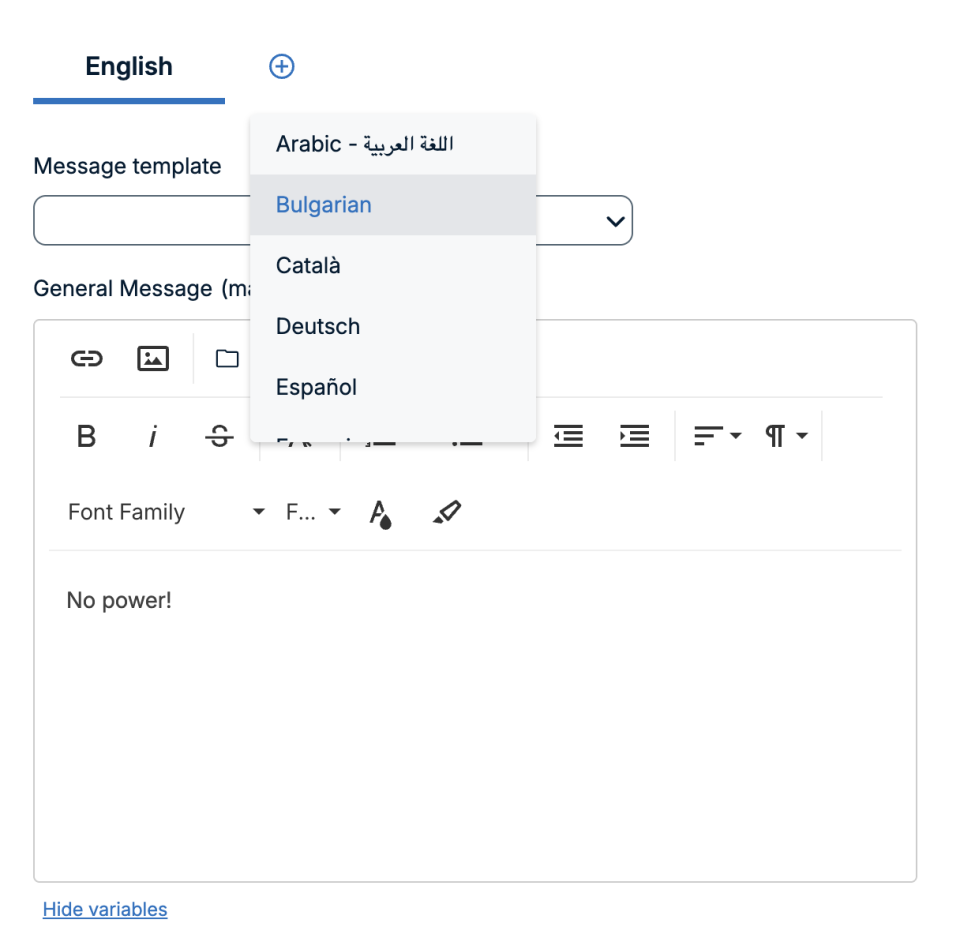
Bulgarian Language for Alarms and Voice Messaging
Bulgarian is now available in ENS+ as a language option for alarm communication.
It can be used for alarm messages, voice calls, surveys, contact information reminders, the information hotline, and related system notifications.
Bulgarian can be selected as an alarming language but is not available as a user interface language.
Improvements for FACT24 ENS+ essential
Smarter, Distraction-Free Phone Conferences
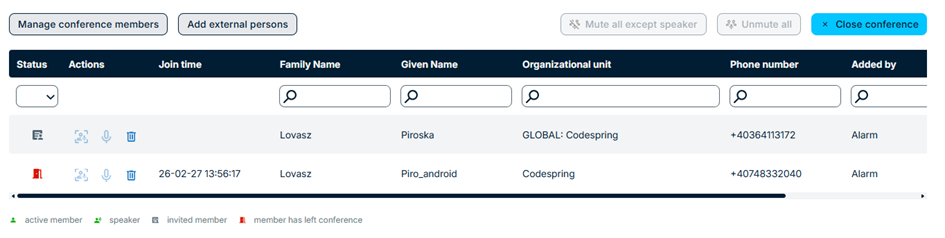
Phone conference enhancements in FACT24 ENS+ now provide greater control in noisy or dynamic conference situations.
Join and leave tones have been removed so participants can enter or exit the conference silently without audible beeps.
Moderators can now mute and unmute participants more flexibly to quickly regain control if background noise becomes an issue.
A redesigned “Mute all” option allows moderators to instantly mute all participants except those currently speaking, helping conversations continue smoothly.
With the new “Spotlight” feature, a moderator can select a single participant whose microphone remains active while all others are muted. This is particularly useful for briefings or when giving clear instructions.
When advanced moderation modes are enabled, newly joining participants will be muted by default.
Status icons have also been redesigned for improved accessibility. Each status now includes a distinct symbol in addition to color, making it easier for users with color perception challenges to recognize participant states at a glance.
More information about phone conferences
Contact Data Manager for Persons
The ENS+ Portal introduces a new role called “Contact Data Manager”.
A person can have one assigned Contact Data Manager (which is a user) who is responsible for maintaining that person’s contact details.
By default, the scope of the Contact Data Manager role is set to “Whole organizational unit”. This scope can also be configured as “Own organization” or “Own and sub organizations”.
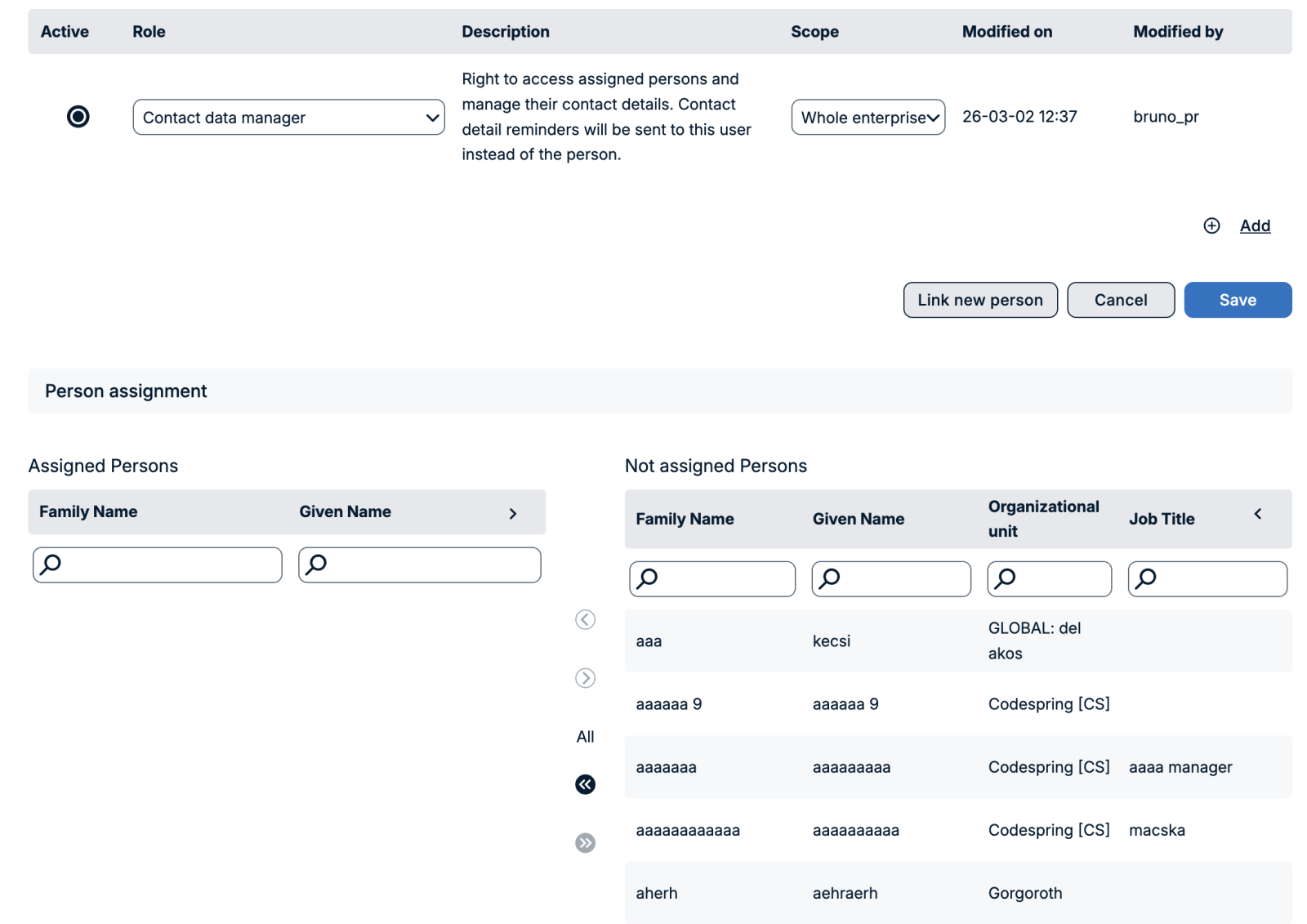
If a person has a Contact Data Manager assigned, that user will receive email or app notifications to update the person’s contact data.
Notifications are triggered based on the configured Contact Information Reminder job type.
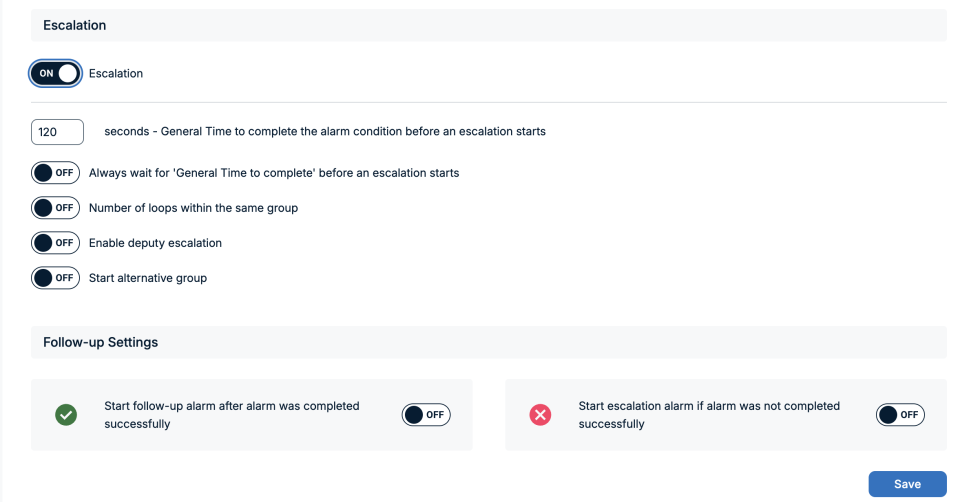
Alarm Settings: Simplified Escalation Configuration
To make alarm configuration more user-friendly, the escalation settings in ENS+ have been streamlined.
Multiple save actions are no longer required to make the entire Escalation section visible.
When navigating to the “Feedback and Escalation” tab in the alarm configuration, users must first configure and save the Feedback section. Once the Feedback section has been saved, the full Escalation section becomes visible and can be configured accordingly.
Improvements for FACT24 ENS+ advanced
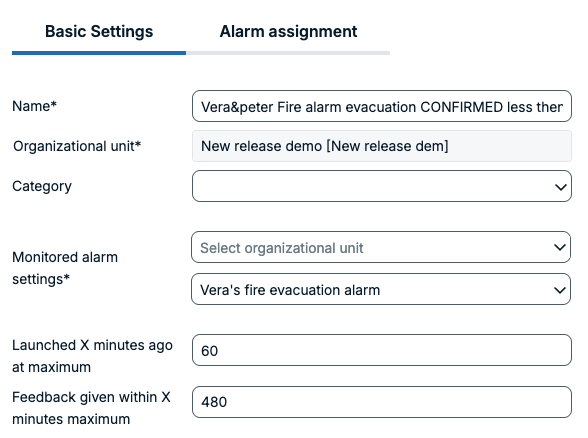
Response-Based Groups: Time Configuration Update
The configuration for response-based groups has been changed from hours to minutes.
The time displayed in the alarm report is now also shown in minutes to ensure consistency across ENS+.
Improvements for Customers with Add-Ons
Microsoft Teams: Notification Enhancements
The setup of the Microsoft Teams bot has been simplified. After installing the FACT24 bot for the organization or selected users, no additional subscription step is required from the users. Administrators can deploy the bot to multiple users and send notifications to them immediately.
The easiest way to set up the integration is to follow this order:
- Add the Messenger device to the person with the email address in FACT24 ENS+.
- Install the FACT24 Teams Bot in Microsoft Teams.
When the bot is installed, it automatically connects to FACT24 ENS+ in the background.
If this order is followed, the subscription to the notification service is created automatically, and the user can immediately receive notifications.
If the order is reversed:
- The user installs the FACT24 Teams Bot in Microsoft Teams first.
- The Messenger device is added to the person later in FACT24 ENS+.
In this case, the automatic connection cannot be established because the internal ID has not yet been linked. As a result, notifications cannot be sent immediately.
To complete the setup, the user must manually subscribe to the service inside the Teams bot.
Teams notifications now also support formatted text. Standard formatting such as bold, italic, underline, and line breaks is preserved and displayed correctly in Microsoft Teams.
More information about microsoft teams bot
SCIM: Synchronization Enhancements
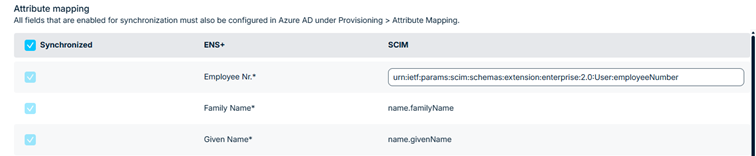
With the SCIM synchronization enhancements, ENS+ provides greater flexibility when integrating with cloud-based identity providers.
ENS+ already supports synchronizing the person list via SCIM from platforms such as Azure Active Directory (Entra ID). To support a broader range of SCIM-compatible identity providers, the Employee Number SCIM attribute is now configurable in ENS+.
This allows administrators to map the appropriate attribute from their identity provider to ENS+, even if the identity provider uses a different field name.
API Changes
The API has been enhanced to provide more control over how alarms triggered via the API are displayed in ENS+ and how they are delivered via voice channels.
A new name parameter can now be defined for alarms triggered through the Notification API. This name is displayed consistently across several areas, including the alarm monitor, alarm report, and confirmation page.
In addition, it is now possible to configure via the API how many times the alarm message is played in the voice channel, for example playing the message once or repeating it multiple times.