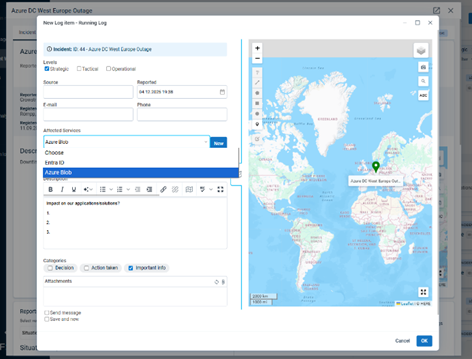
FACT24 ENS+
Release Notes
Portal Version 3.31
Portal Version 3.30
Portal Version 3.29
Portal Version 3.28
Portal Version 3.27
Portal Version 3.26
Portal Version 3.25
Portal Version 3.24
Portal Version 3.23
Portal Version 3.22
Portal Version 3.21
Portal Version 3.20
Portal Version 3.19
Portal Version 3.18
Portal Version 3.17
Portal Version 3.16
Portal Version 3.15
Portal Version 3.14
Portal Version 3.13
Portal Version 3.12
Portal Version 3.11
Portal Version 3.10
Portal Version 3.9
Portal Version 3.8
Portal Version 3.7
Portal Version 3.6
Portal Version 3.5
Portal Version 3.4
Portal Version 3.3
Portal Version 3.0
Portal Version 3.2
Getting started
Setup
Managing ENS+ users
Creating your organizational structure
Caller IDs
Address registry
Categories
Dictionary
File manager
Download Center
Your Account
Two-factor authentication (2FA)
Configuration
Persons & Groups
Alarm configuration
Alarms
Launch Forms - Configuration
Message templates
Calendar
Location profiles
Geolocation profiles
Whitelists
Jobs
Events
Telephone quickstarts
Survey
Alarm Templates
Alarm Flow
Interfaces
Operating Cockpit
Alarm Cockpit
Activate and stop alarm
Launch Forms - Trigger
Ad hoc alarm
Alarm monitor
Chat
Phone Conference
Video Conference
Surveys
Reports & Statistics
Loneworking
FACT24 Mediagateway
Microsoft Teams Bot
Web login for persons
Add-on modules
FACT24 ENS+ Incident Management
Telekom Settings Cloud of Things Narrow Band Interface
FACT24 ENS+ External API (REST) – Functionality Scope
FACT24 AI
Migration to ENS+
FACT24 CIM
Release Notes
New functions through FACT24 CIM release V.26.02
New functions through FACT24 CIM release V.26.01
New functions through FACT24 CIM release V.25.03
New functions through FACT24 CIM release V.25.02.01
New functions through FACT24 CIM release V.25.02
New functions through FACT24 CIM release V.25.01
New functions through FACT24 CIM release V.24.03
New functions through FACT24 CIM release V.24.02
New functions through FACT24 CIM release V.24.01
New functions through FACT24 CIM release V.23.02
New functions through FACT24 CIM release V.23.01
Getting started
FACT24 CIM starter - crucial steps
FACT24 CIM essential
FACT24 CIM advanced
Introduction
Start Page
Admin workspace
The FACT24 CIM Roles
New Navigation
Search
Levels
Contacts
Locations
Home - workspaces
Situation
Manage
Communicate
Document & report
Prepare & prevent
Mobile App (FACT24 ENS+ and CIM)
App Releases
App-Version 3.30
App-Version 3.28
App Version 3.26
App Version 3.24
App Version 3.22
App Version 3.21
App Version 3.20
App Version 3.17
App Version 3.16
App Version 3.15
App Version 3.13
App Version 3.12
App Version 3.10
App Version 3.9
App Version 3.8
App Version 3.7
App Version 3.5
App Version 3.3
App Version 3.2
Download & Basics
FACT24 ENS+ App Section
Basics and Login
General Settings
Account
Location Services
Group Management
Triggering Alarms
Editing Alarms
Active Alarms
Chat in the ENS+ Application
History
Reports
Emergency Plans
Lone Worker Protection
Special Smartphones
FACT24 CIM App Section
Support
Table of Contents
- All Categories
- FACT24 CIM
- Release Notes
- New functions through FACT24 CIM release V.25.02.01
New functions through FACT24 CIM release V.25.02.01

We are happy to announce improvements with the following new features concerning FACT24 CIM. To provide you with a better overview, we have set up this article to give you a detailed description of the updates with screenshots. These functionalities will be available to you from 04th of December 2025 on.
Improvements for all FACT24 CIM Editions:
AI Assistance in the Text Editor
An AI button is now available in every HTML text editor of FACT24 CIM.
When you click it, you can choose from predefined prompts:
- Summarize content
- Improve writing
- Simplify language
- Extract action points
- Generate task checklist
- Write internal update
- Draft public message
- Change tone
- Change style
- Translate
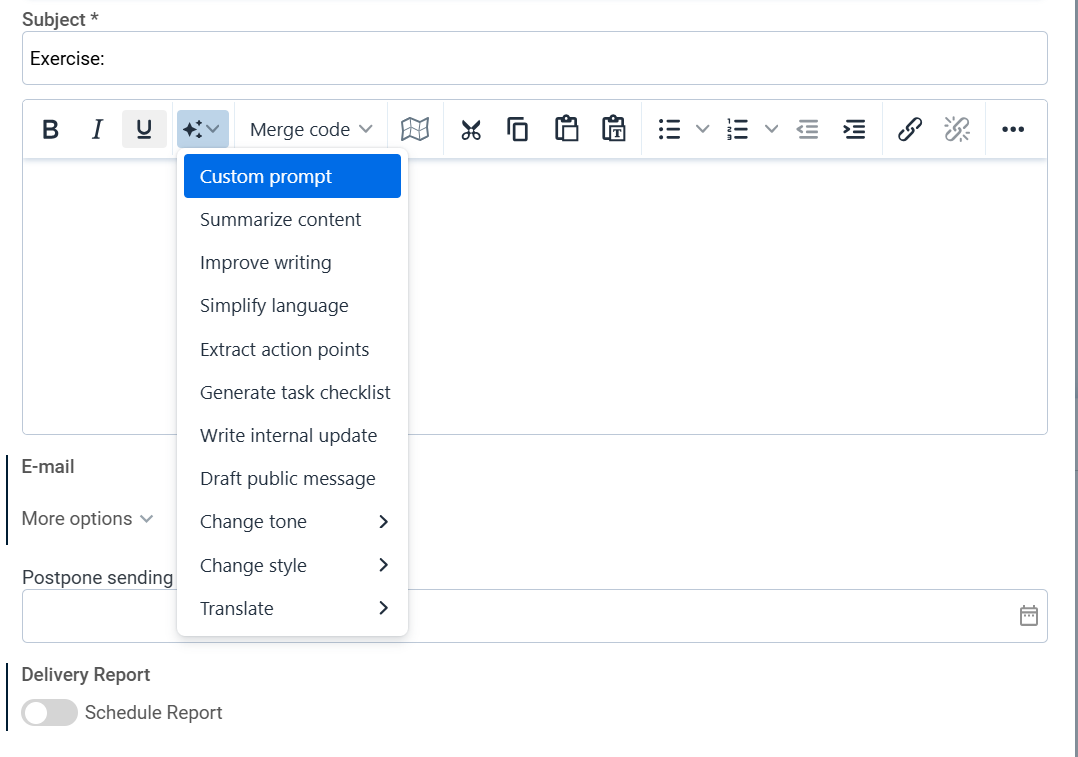
You can also define a custom prompt. In this case, the AI engine processes the original message according to your own instructions.

The AI processes the text according to the selected command and returns the result on a new page.
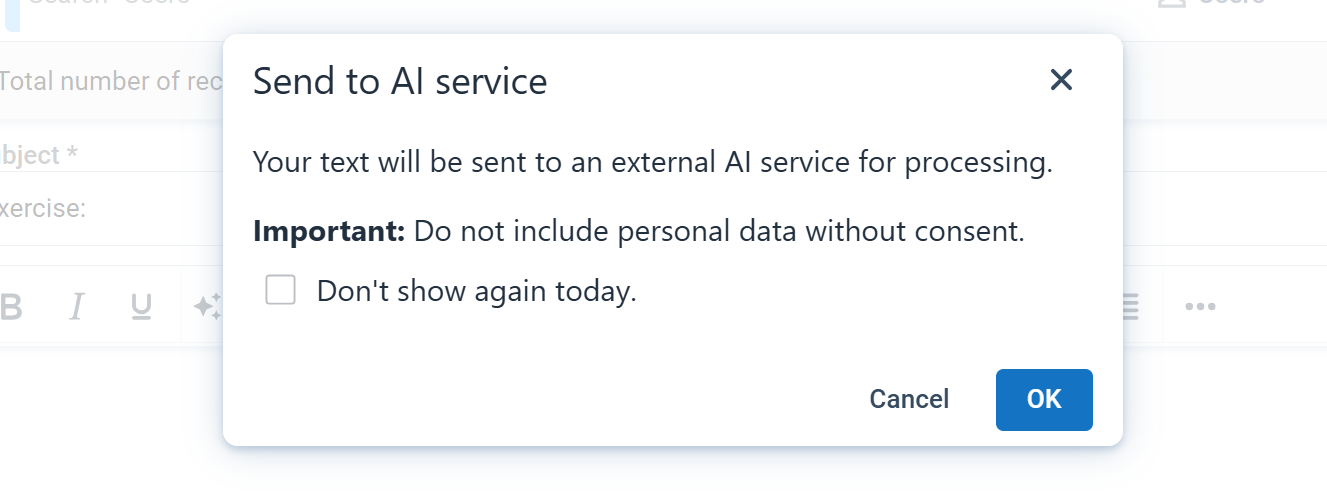
From there, you can:
- Ask the AI to generate a new version.
- Append the AI generated result to the original text.
- Replace the original text with the AI proposal.
- Discard the proposal by clicking Cancel.

The AI engine supports multiple languages and will generate its response in the language set of the message.
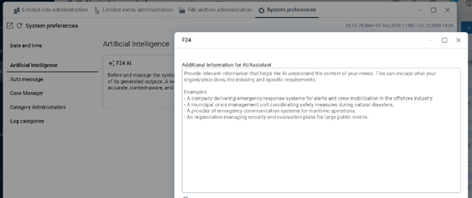
Admin user can also enhance prompts by providing company context in the admin workspace.
Dynamic values in Categories
As administrator you can now create categories with dynamic values in the Admin Workspace. This allows users to add values to a category list.
This may be useful for categories where you do not yet know all possible values but want to filter or sort by such values later.
As admin you can also specify whether such user created values are shared within one incident or across all.
- Create Category and decide "dynamic" behaviour with toggles
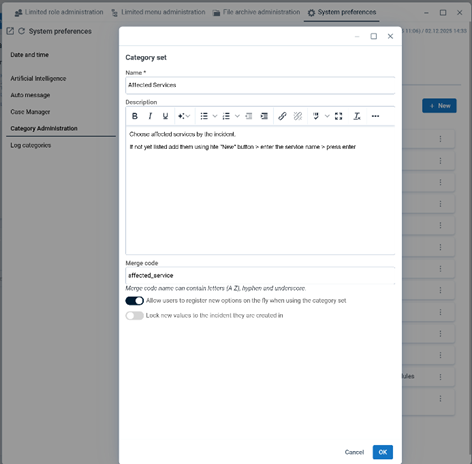
- Add initial values as admin

- Decide in where to show the category field, e.g. running log form

FACT24 CIM Admins can then maintain and clean user created values.
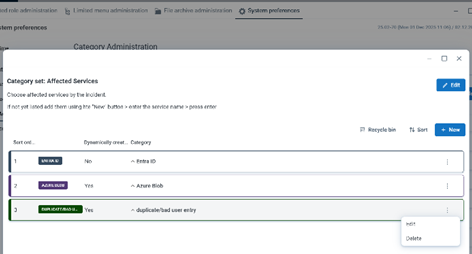
Users will find all existing values when using the field and drop down. If the required value is not present they can now add it to the list to be available for other users or future entries, such as situation updates:
- User: Value not found

- User: Add value - Saved when saving log entry
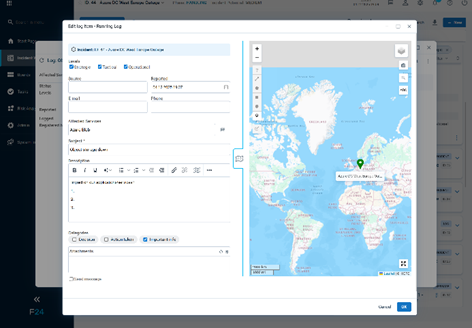
- Next user sees added value