Release Notes Portal Version 3.26.0 (available from February03rd2026 on)
Improvements for all FACT24 Editions
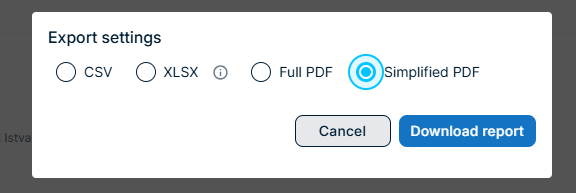
PDF Report in a shortened version
Users can now download a shortened report version of the ENS+ report directly form the ENS+ Portal.The report is generated as a vertical PDF and focuses on the most relevant operational information - ideal for quick reviews, sharing, or archiving during and after incidents.
Why it matters?
Faster access to key information: Get a concise overview without navigating a full detailed report.
One person, one line: Simplified structure makes it easier to scan and interpret data under time pressure.
Time at location confirmation expansion up to 5 digits
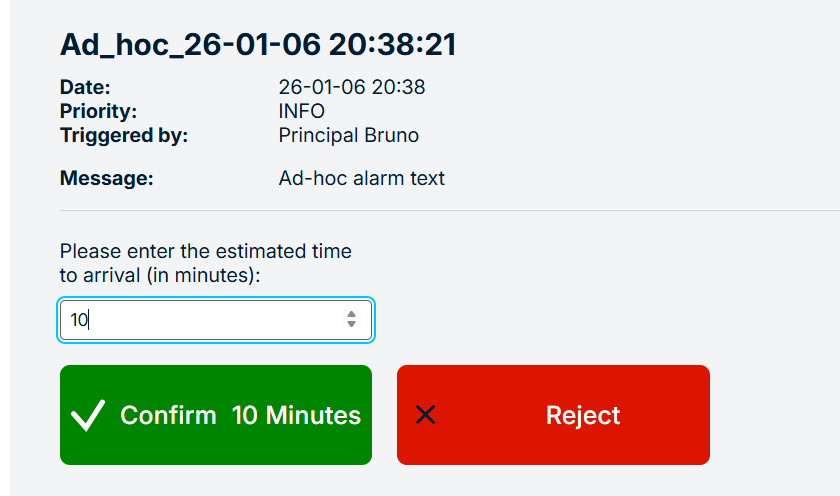
The time-to-location confirmation in alarm responses has been expanded from a 2-digit to a 5-digit input. This allows responders to provide a precise arrival time even after 90 minutes.
The expanded time input is now supported across all major response channels:
SMS (two-way)
E-mail survey
Phone
App
PC Client
Microsoft Teams bot
The confirmation link page has also been updated and now you can enter the estimated time of arrival instead of choosing a time value from a predefined list.
Why it matters?
Improved situational awareness: Crisis managers receive more precise arrival estimates, enabling better planning and coordination.
Better operational decisions: Accurate arrival times help prioritize actions and allocate resources more effectively.
Improved Alarm start groups and persons visibility
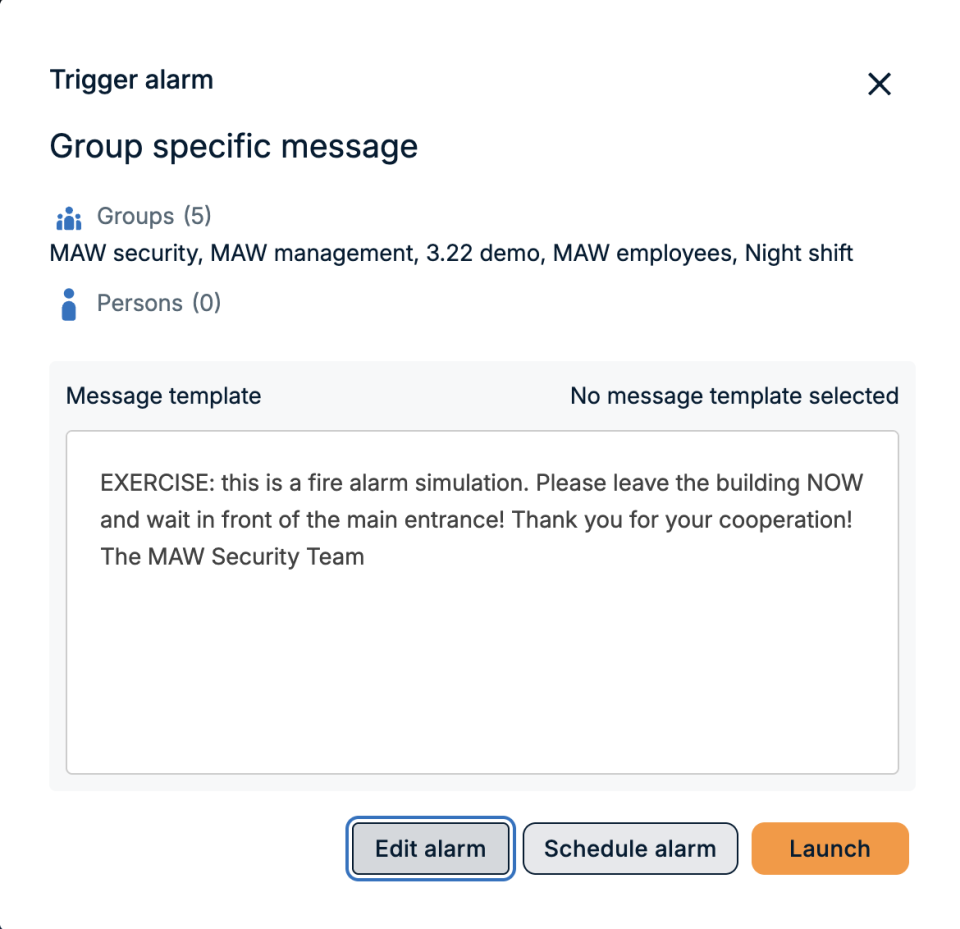
When starting an alarm in the ENS+ web application, users currently can’t see the preconfigured assigned groups and persons - which makes it hard to decide whether additional groups or persons should be added.
Why it matters?
Fewer mistakes under pressure: Users can confirm who will be notified before launching an alarm and avoid missing critical groups or/and persons.
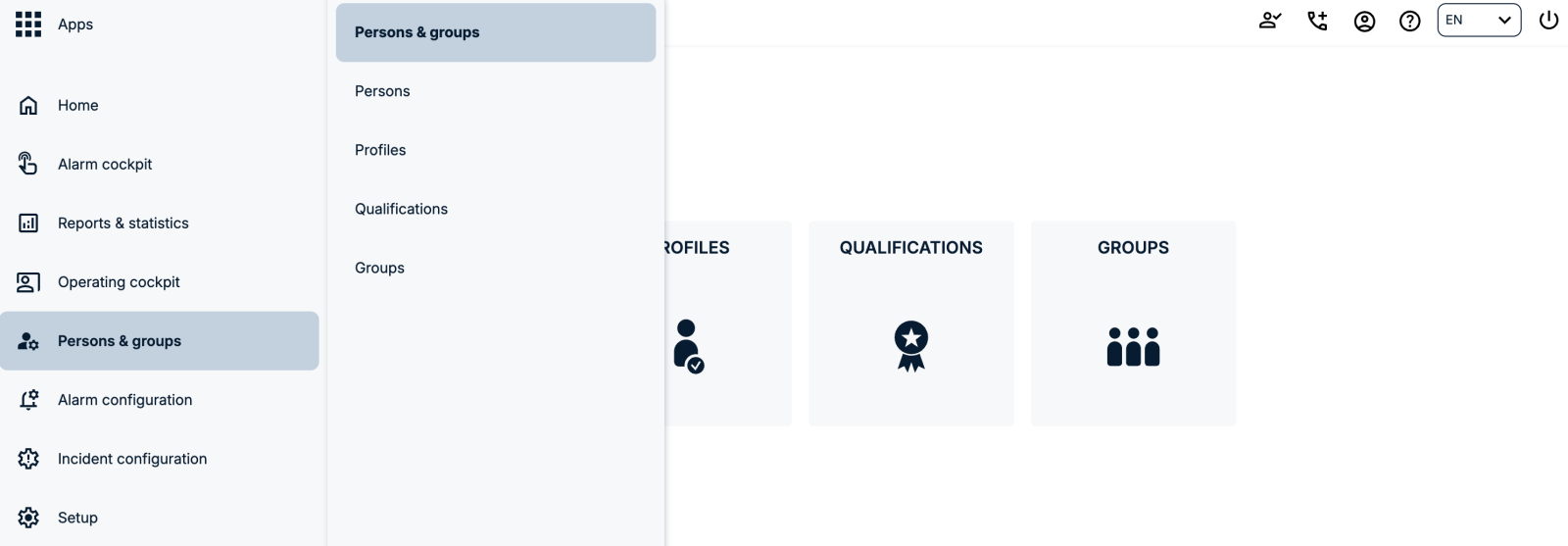
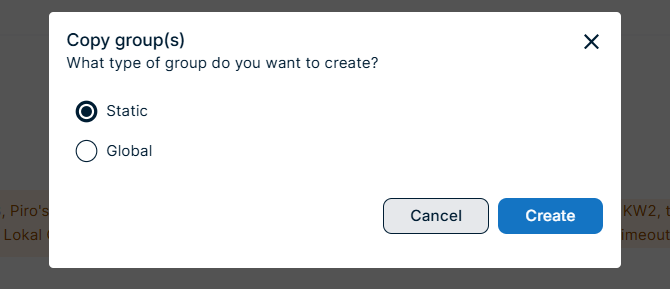
You can now duplicate a static group as either a static or a global group directly from the Static Groups page. The Copy action opens a follow-up dialog that lets you choose the target group type - making it easier to reuse group structures across your organization.
Why it matters?
Faster reuse of group structures: Turn an existing static group into a global group in one step, without rebuilding it from scratch.
Clear, intentional control: A dedicated dialog ensures you explicitly choose the group type, avoiding accidental changes.
You can now automatically receive a monthly XLSX export of your enterprise’s FACT24 ENS+ usage data directly by email.
On the Enterprise Usage page, administrators can enable a new option to send the previous month’s usage data to one or more email recipients.
The system generates the report on the second day of each month and delivers it as an XLSX attachment.
Why it matters?
Saves time: Eliminates recurring manual exports and reduces admin overhead.
Consistent reporting cadence: Ensures that stakeholders receive up-to-date usage data every month at a predictable time.
Flexible distribution: Send reports directly to shared inboxes (e.g. finance, controlling, service management) without giving them console access.ExampleYour IT administrator enables the monthly usage export and enters a shared “crisis-reporting@company.com” mailbox. On the second day of each month, the crisis management team and finance automatically receive an XLSX file summarising all FACT24 ENS+ usage for the previous month, which they can immediately use for service reviews and cost reporting without logging into the system.
Overnight Shifts Now Supported in Time-Based Groups and Duty Rosters
You can now configure shifts that start on one day and end on the next (e.g. night shifts) directly in time-based groups and Duty Rosters.
Duty roasters are only available from version FACT24 ENS+ advanced onwards.
What's new?
Time-based groups and Duty Rosters now support shifts that cross midnight.
You simply enter the start and end time (e.g. 18:00–06:00), and the system automatically understands that the shift continues into the next day.
This works for all typical night or extended shifts (e.g. 12-hour security or operations shifts).
Why it matters?
Better mapping of real operations: Accurately represents night shifts, 24/7 operations and on-call patterns without workarounds.
Simpler configuration: No need to split one shift into two separate time ranges; one configuration covers the full period.
Example
A security team runs a 12-hour night shift from 18:00 to 06:00. With this enhancement, the administrator configures a single shift from 18:00–06:00 in the time-based group and Duty Roster. FACT24 ENS+ will automatically treat 06:00 as the next day and ensure the night shift team is available for alarms during the entire period, without gaps at midnight.
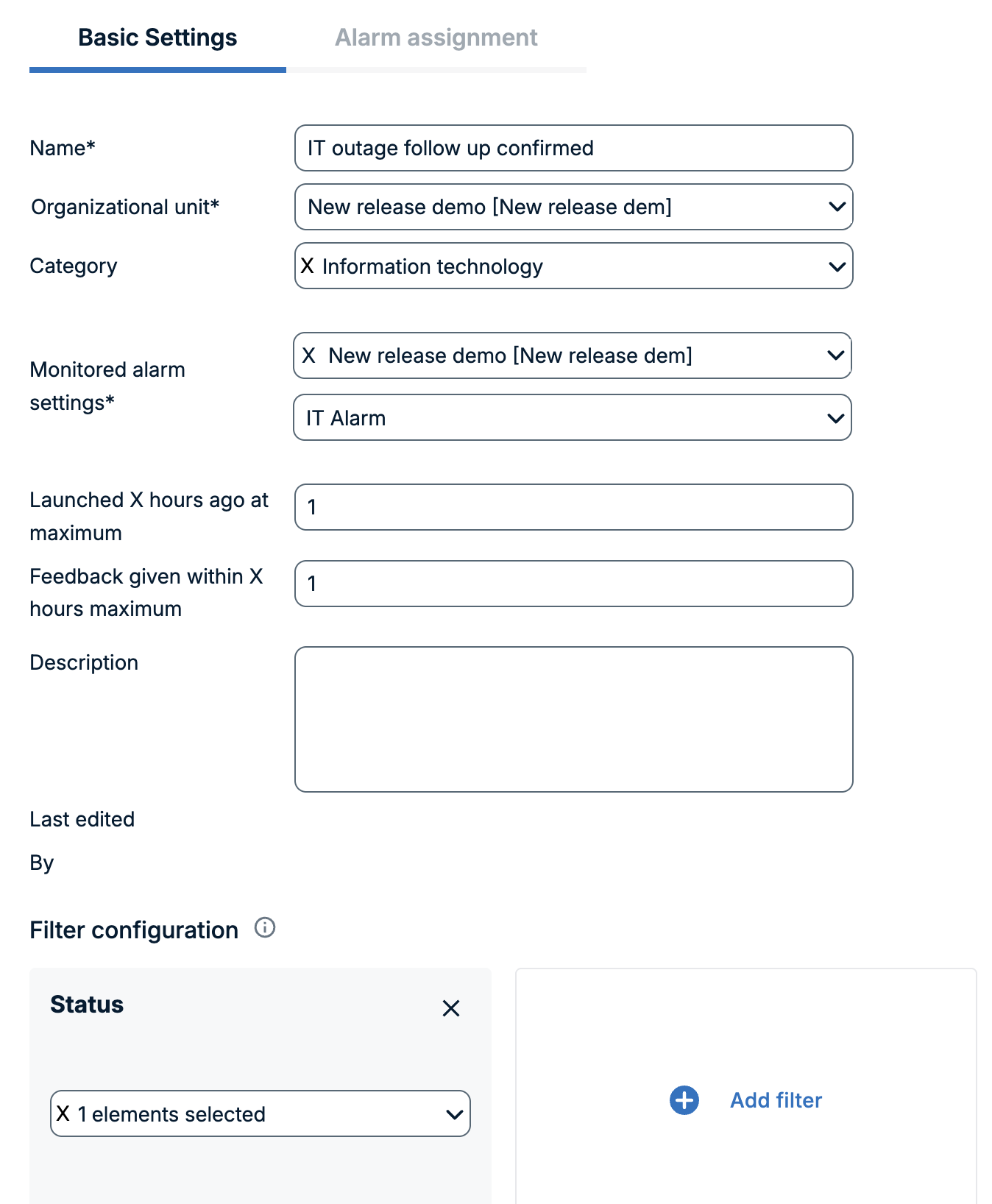
We’ve introduced a new group type, Response-based groups, that lets you automatically build groups based on how people responded in previous alarms. This helps you reach the right contacts faster and coordinate more precisely during critical situations.
What’s new?
You can create a new group by:
giving the group a name,
defining the organizational unit and alarm category.
In order for the group to be populated by the responses from a previous alarm, you need to set:
which alarm needs to be monitored,
how long ago was the alarm launched (Launched X hours ago at maximum),
and how long ago were the answers provided (Feedback given within X hours maximum).
Additionally you can set some filters, which helps you to find the members of the group.
The filter configuration can be set to:
monitor the status of the responses of the persons from the selected alarm (confirmed, rejected, neutral, notified, failed, cancelled),
and arrival time if the alarm uses time based confirmation (in minutes, with various options like between x and y minutes, equals x minutes, etc.)
and survey answer (if the survey is used in the alarm).
Example
After a major incident, you want to debrief only those employees who confirmed the alarm and arrived within 8–10 minutes. You create a Response-based group that:
looks at the incident alarm from today,
filters for Status = “Confirmed” and Arrival time between 8 and 10 minutes,
and create an Ad Hoc alarm with this specific group.
Within minutes, only the relevant on-site responders receive your follow-up information, without any manual list building.