Table of Contents
New functions through FACT24 CIM release V.25.03

We are happy to announce improvements with the following new features concerning FACT24 CIM. To provide you with a better overview, we have set up this article to give you a detailed description of the updates with screenshots. These functionalities will be available to you from 17th of February 2026 on.
Improvements for all FACT24 CIM Editions:
Reduction of session idle time
To improve security, the default session idle time (timeout) has been reduced to 120 minutes.
Users who remain inactive for this period will be logged out automatically.
Two minutes before the automatic logout, a countdown notification will appear.
Users can extend their session by clicking “Cancel”.
Single Sign-On in both directions
Single Sign-On (SSO) has been fixed to work in both directions again.
Users who start their work in FACT24 CIM can now switch directly to FACT24 ENS+ without having to re-enter their credentials.
“Case Manager” is now “Chat”
To better reflect its actual purpose, the 'Case Manager' has been renamed to 'Chat'.
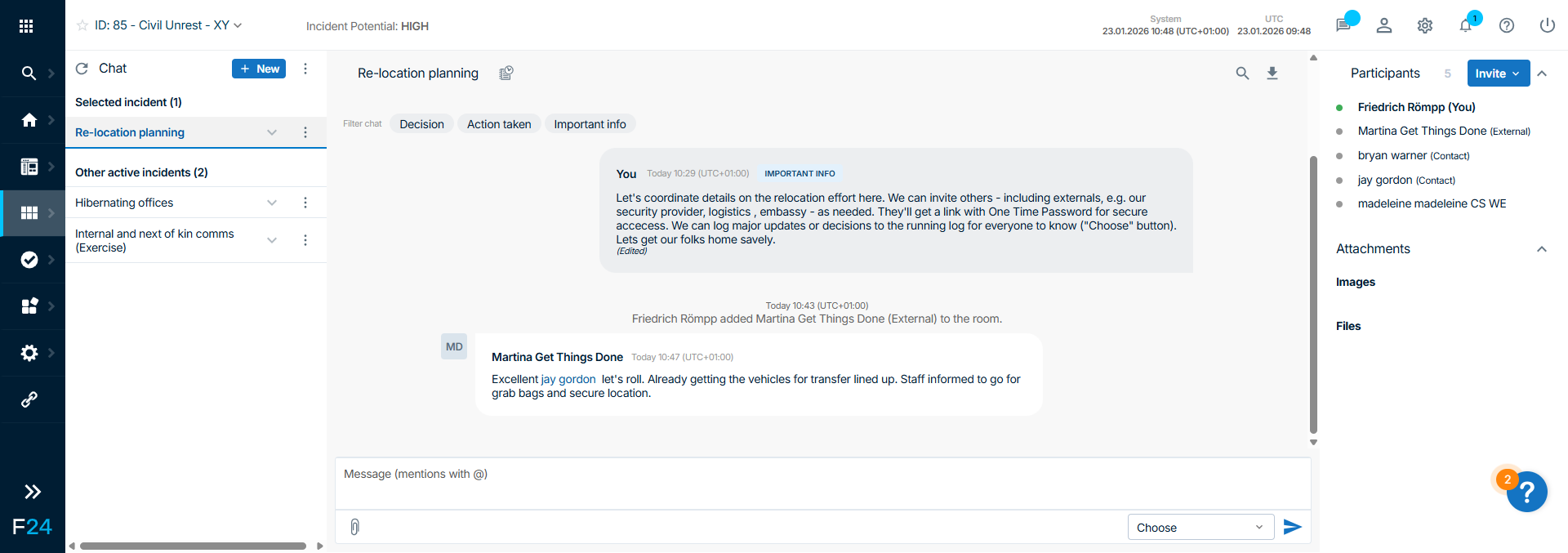
The chat module is available in the following locations:
Click the Chat bubble icon in the header bar at the top right of your browser window.

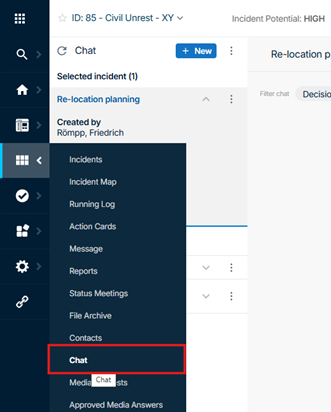
Or access the chat via the “Boards” section of the side menu.
Find out more about Chats in FACT24 CIM here
Incident Boards by Organization
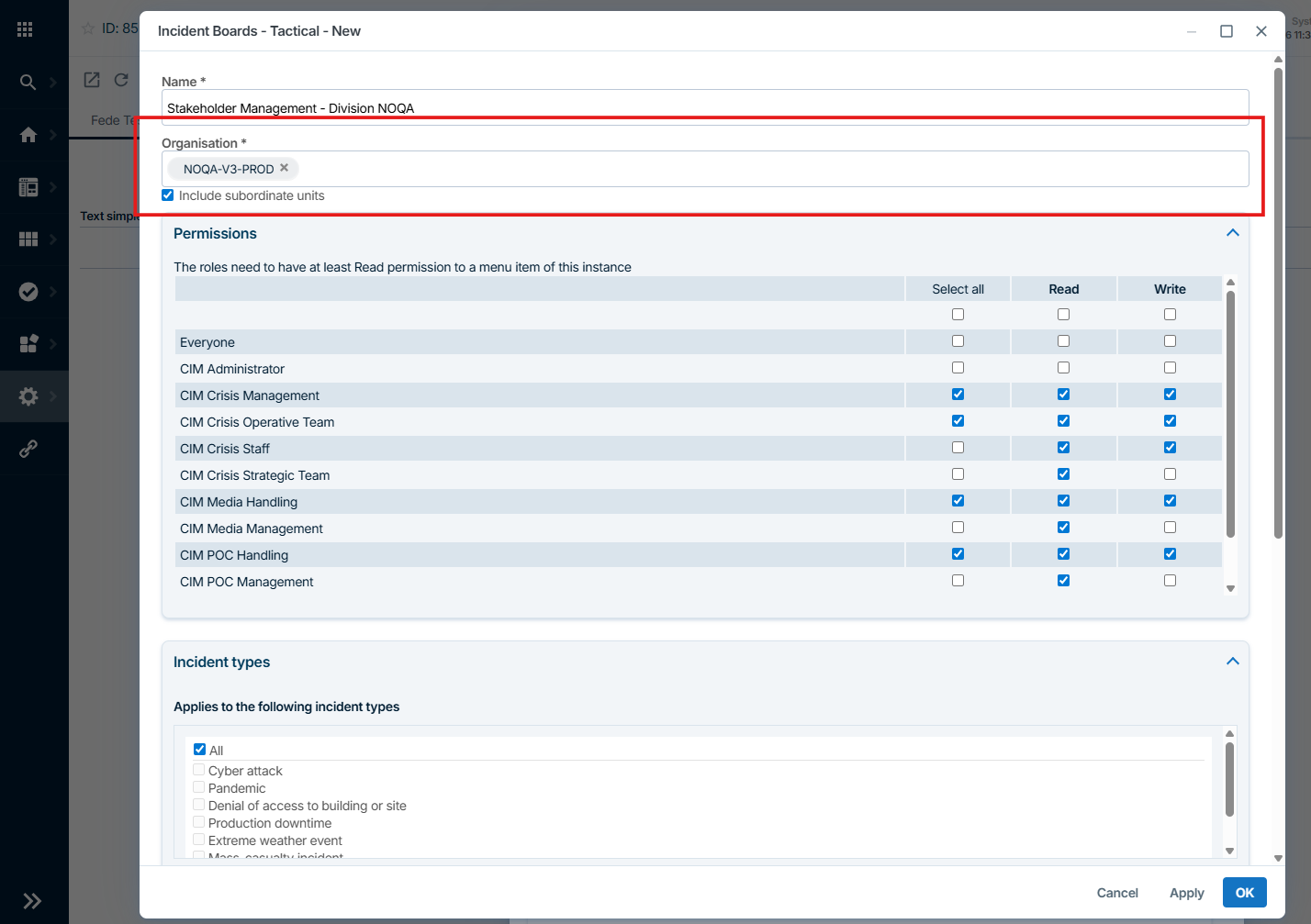
CIM Administrators can now control access to Incident Boards based on Organization.
This extends the existing access control options by role and incident type, providing an additional level of granularity.
Why it matters
This enhancement delivers greater flexibility and clarity in crisis management.
Incident Boards can now be tailored to the specific needs of different organizational units, for example, HR, Manufacturing, or Service teams.
At the same time, administrators can create multiple boards with the same status but differentiated by reporting unit, while still maintaining full visibility at the highest organizational or strategic level.
Find out more about Incident Boards in FACT24 CIM here
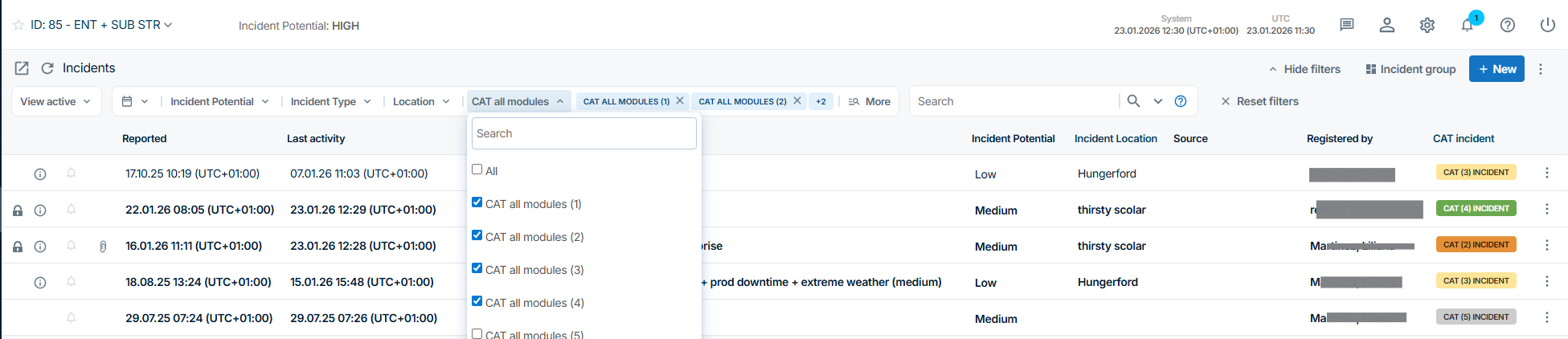
Category Filter Now Supports Multi-Select
The Category filter in list views now supports multi-select.
This improvement is available in list views across Incidents, Messages, and Tasks.
Why it matters
Multi-select filtering makes it faster and easier to focus on relevant items, especially when working with complex category structures or overlapping workflows.
Have you not used categories yet?
You need a CIM Administrator role to create them.
Find out more about the Admin Workspace here
Find out more about Dynamic Categories here
Improvements from CIM advanced on:
Person of Concern: Map
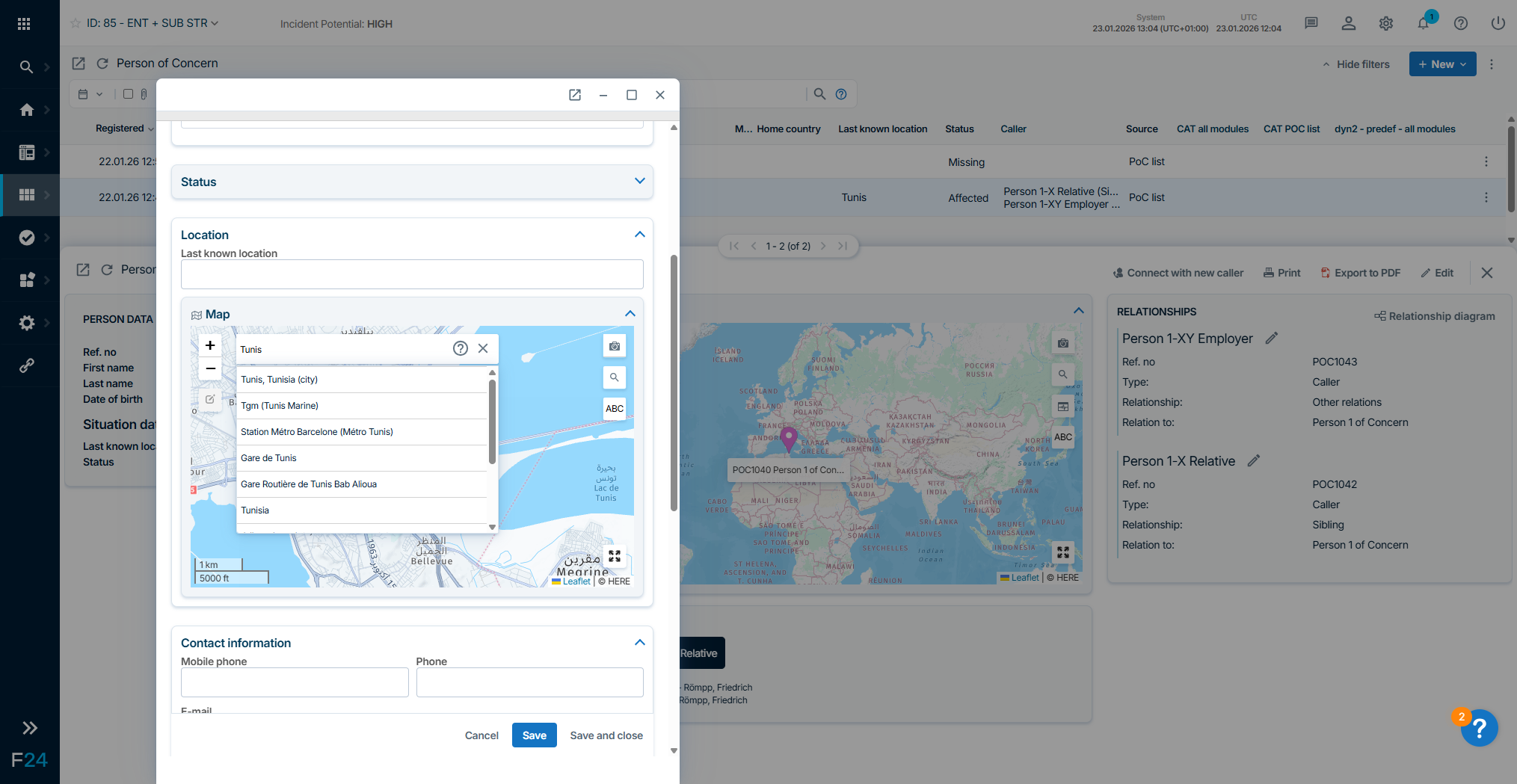
Affected individuals can now be displayed on a map view.
Locations can be added directly when creating or editing a Person of Concern record and are visualized both in the record details and in a consolidated map overview.
How it works
- Add a location when creating or opening a Person of Concern record in the Location section.
- View the location in the record’s detail view (displayed as the background image)
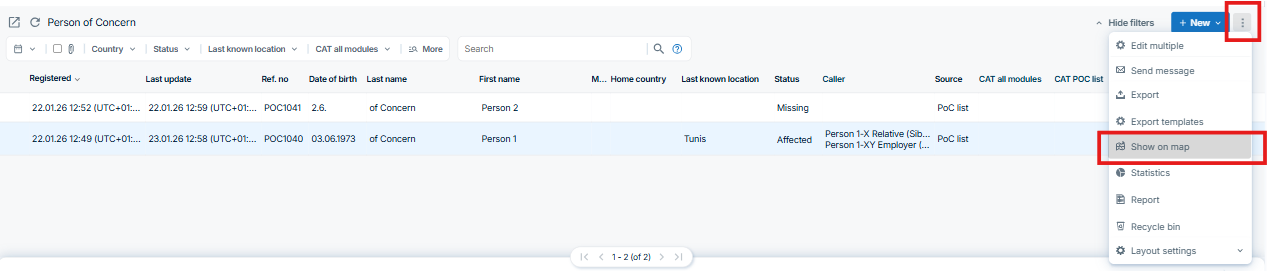
- See all locations at once using the Person of Concern – Map
Access the map
- From the Person of Concern list view
- Directly from Boards via the new link “Person of Concern – Map”
Why it matters
The map view provides a fast and intuitive overview of where affected individuals are located, supporting better situational awareness and faster decision-making during incidents.
Person of Concern: Relationship diagram
What’s new
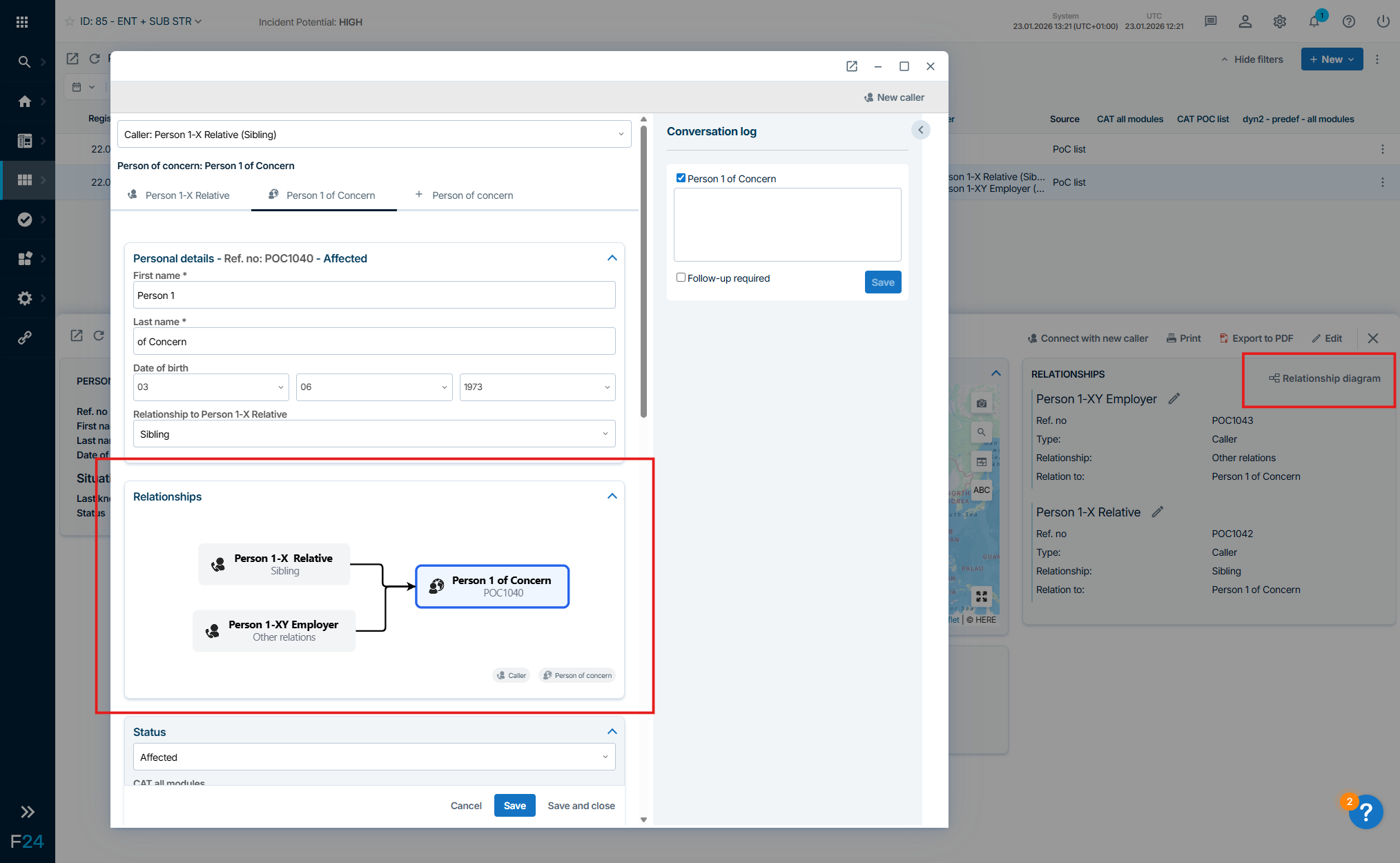
A new Relationship Diagram is now available for Persons of Concern.
It provides a visual overview of the people and relationships registered for an affected individual.
Why it matters
The relationship diagram makes it easier to understand personal connections at a glance, helping teams quickly assess dependencies and relevant contacts during an incident.
Person of Concern: Share export
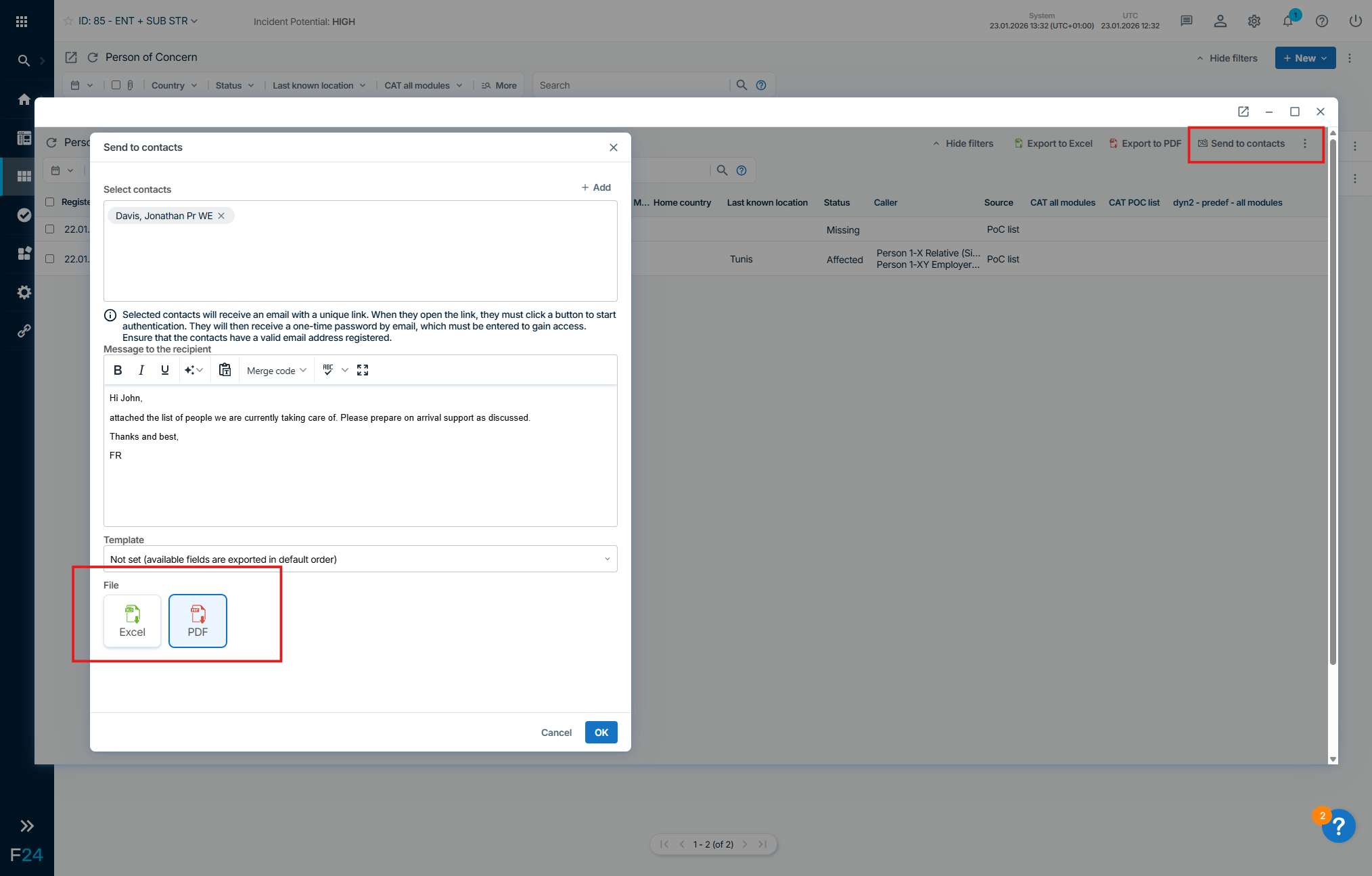
FACT24 CIM now supports secure sharing of Person of Concern exports with contacts.
Exports can be sent directly from PoC to selected recipients.
How it works
- Recipients receive a unique download link
- Access to the export is protected by a one-time password (OTP)
- The export can only be downloaded using both the link and the OTP
Why it matters
This feature enables secure and controlled information sharing with external or internal stakeholders while maintaining data protection and confidentiality.
Person of Concern: Available in App
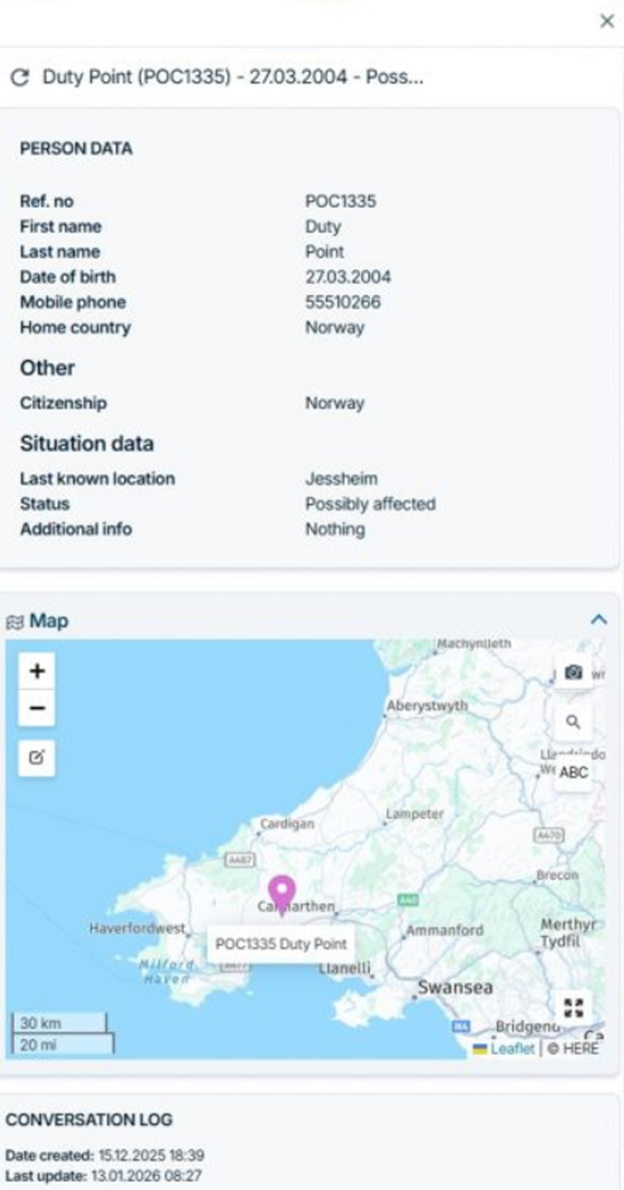
The Person of Concern (PoC) module is now also available on mobile devices via the FACT24 ENS+ & CIM app.
What’s included
- Registration of Persons of Concern directly in the app
- Handling and management of individuals imported into PoC from external systems
Why it matters
Mobile access to PoC functionality enables faster response and better handling of affected individuals, even when teams are on the move or operating in the field.
Risk Analysis: Customization Enhancements
To increase flexibility within the Risk Analysis module, several new customization options have been introduced at the template level.
These changes can be configured by a CIM Administrator and allow for greater alignment with organization-specific risk assessment methodologies.
A CIM Administrator can now:
- Rename Step 1 (ISO: Establish Context)
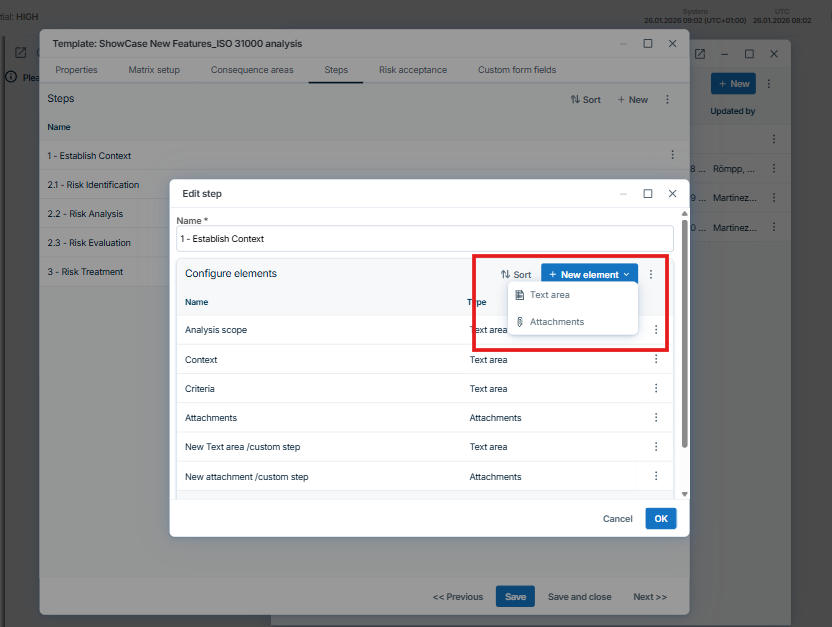
- Add custom steps to Step 1
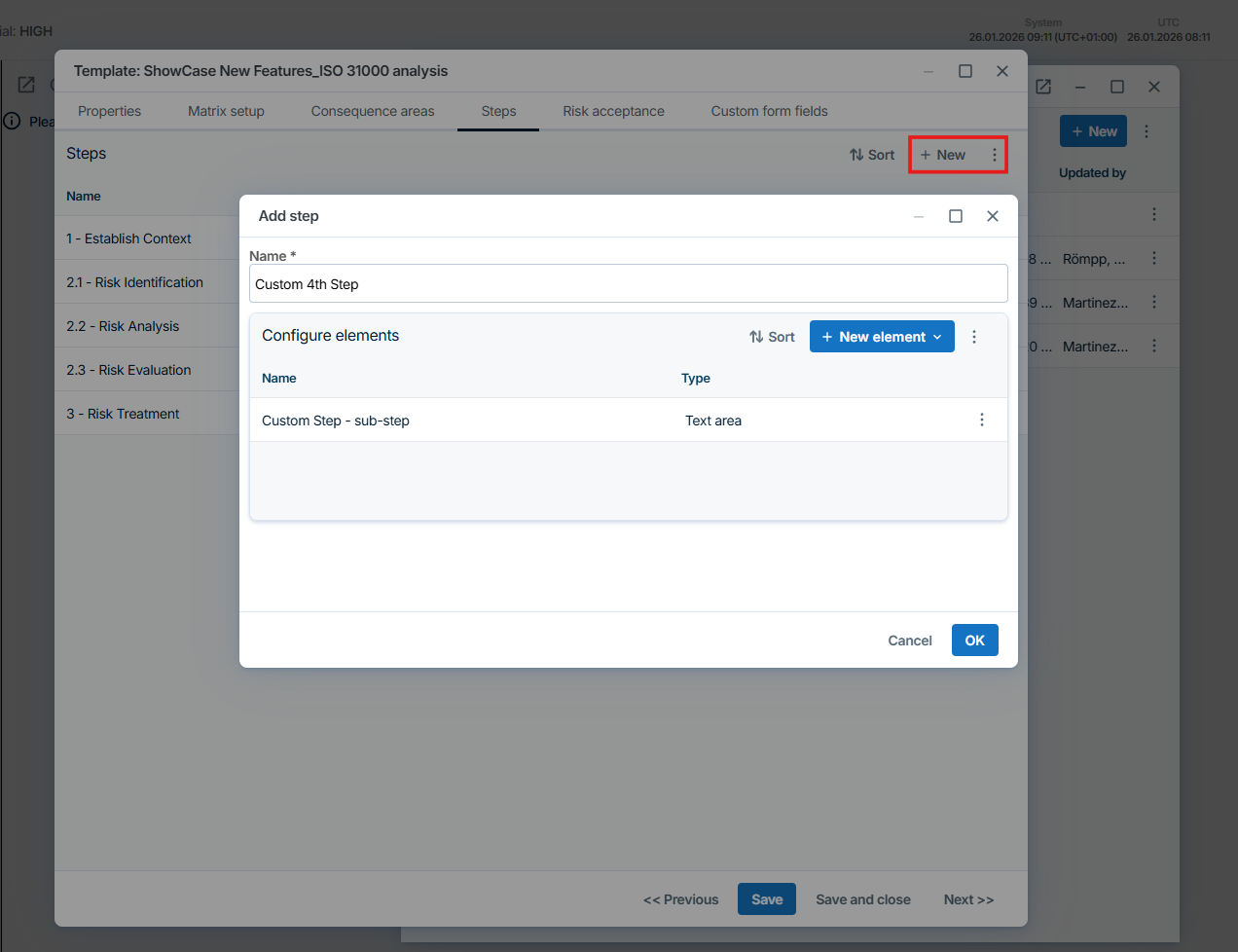
- Create custom steps with user-defined content

- Reorder custom steps as needed
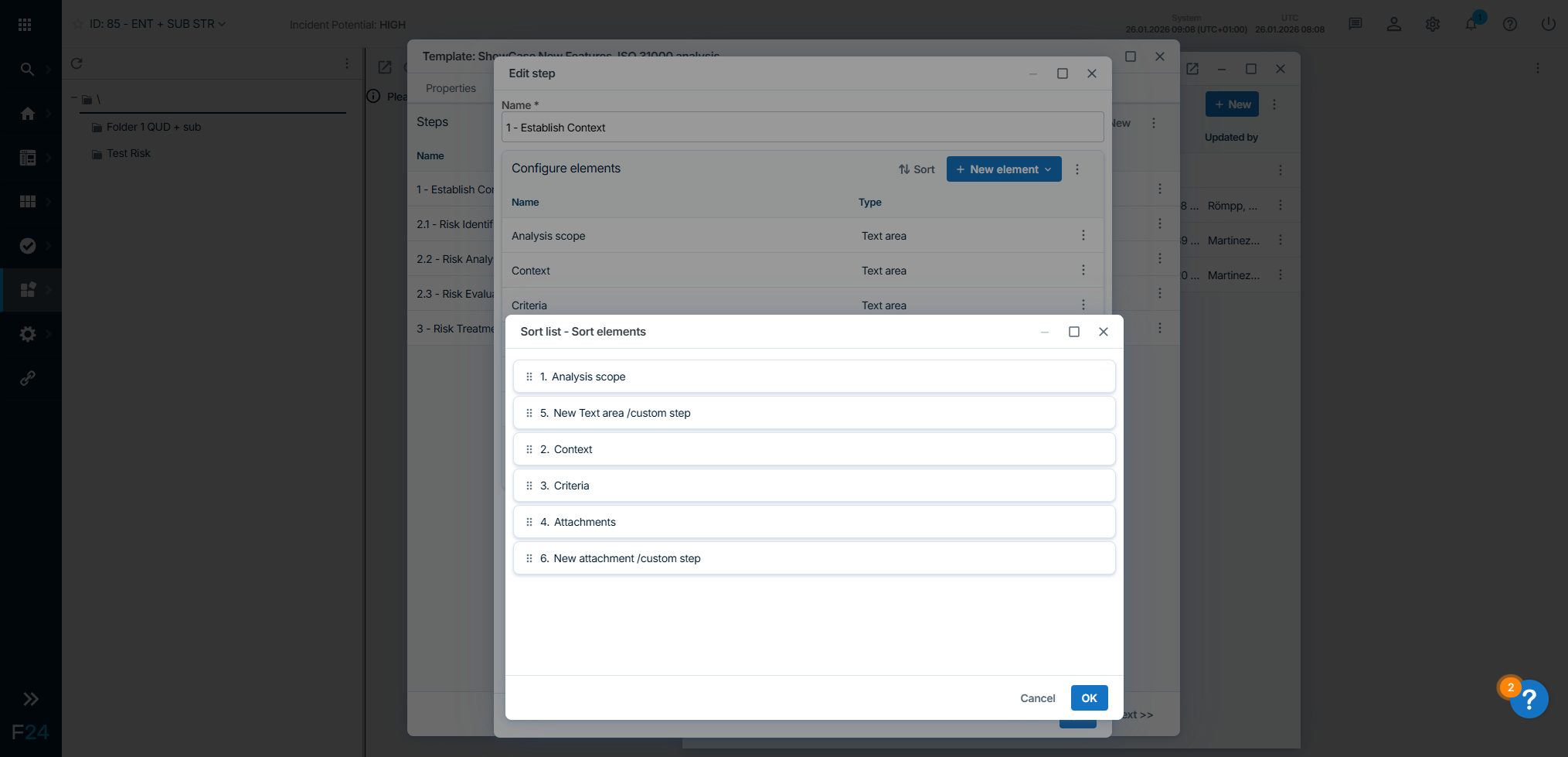
These enhancements enable a more tailored and adaptable risk analysis process while maintaining consistency across templates.
More information on the Risk Analysis can be found here
Risk Analysis: Export
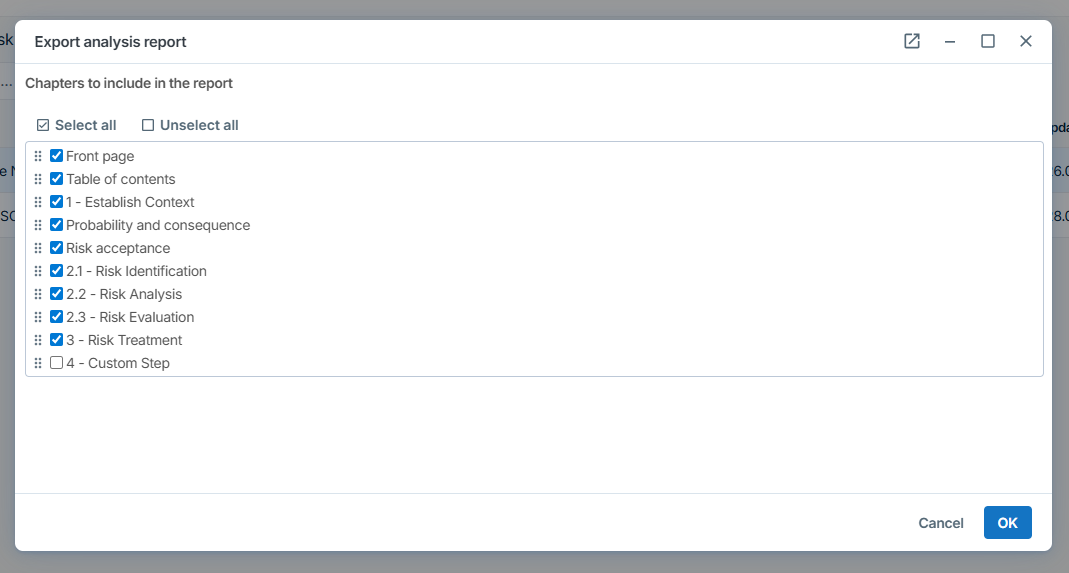
It is now possible to choose which parts of the analysis should be included in the export and in what order they should appear. Custom steps are also included, providing increased flexibility when using the module.